
“Compression saves space, but it costs performance.” That used to be true. It’s why plenty of admins still leave it off by default, or only turn it on for cold archive data where nobody will notice the tax.
That math made sense when CPU was scarce and every cycle mattered. It doesn’t hold anymore.
ZFS compression shrinks data before it’s written to disk and expands it again on read, so a dataset holds more data in the same physical space without changing how it’s accessed.
The Old Math Doesn’t Work Anymore
CPU has gotten cheap and plentiful – more cores, more threads, more headroom than most storage workloads ever touch. Storage hasn’t kept pace the same way. It’s still bound by latency, device wear, and the cost of physically moving bytes through the stack.
That changes the question. It’s no longer “is compression worth the overhead?” It’s “is some idle CPU worth spending to avoid storage I/O you’re already paying for.” For most environments, yes.
Compression in the Pipeline, Not in Post
TrueNAS, built on OpenZFS, doesn’t bolt compression on as an afterthought – it’s part of the I/O path. Data is compressed before it’s written, so the space savings land immediately. No background job runs later to reclaim it. On read, data is decompressed just before it reaches the client, and every data-integrity and redundancy feature keeps operating on the compressed blocks underneath.
The practical result is less data moving through your storage stack, and less data competing for room in the most expensive real estate in the system – RAM.
Savings Don’t Stop at Storage Space
Smaller blocks mean the system moves fewer bytes for the same workload, which often shows up as higher real throughput, not just smaller files.
It also changes how much data fits in memory. TrueNAS uses the OpenZFS ARC (Adaptive Replacement Cache) to keep frequently-read data in RAM. Compressed data takes up less room there too, so ARC holds more of your actual working set in the same amount of memory – more cache hits, fewer reads that fall through to disk.
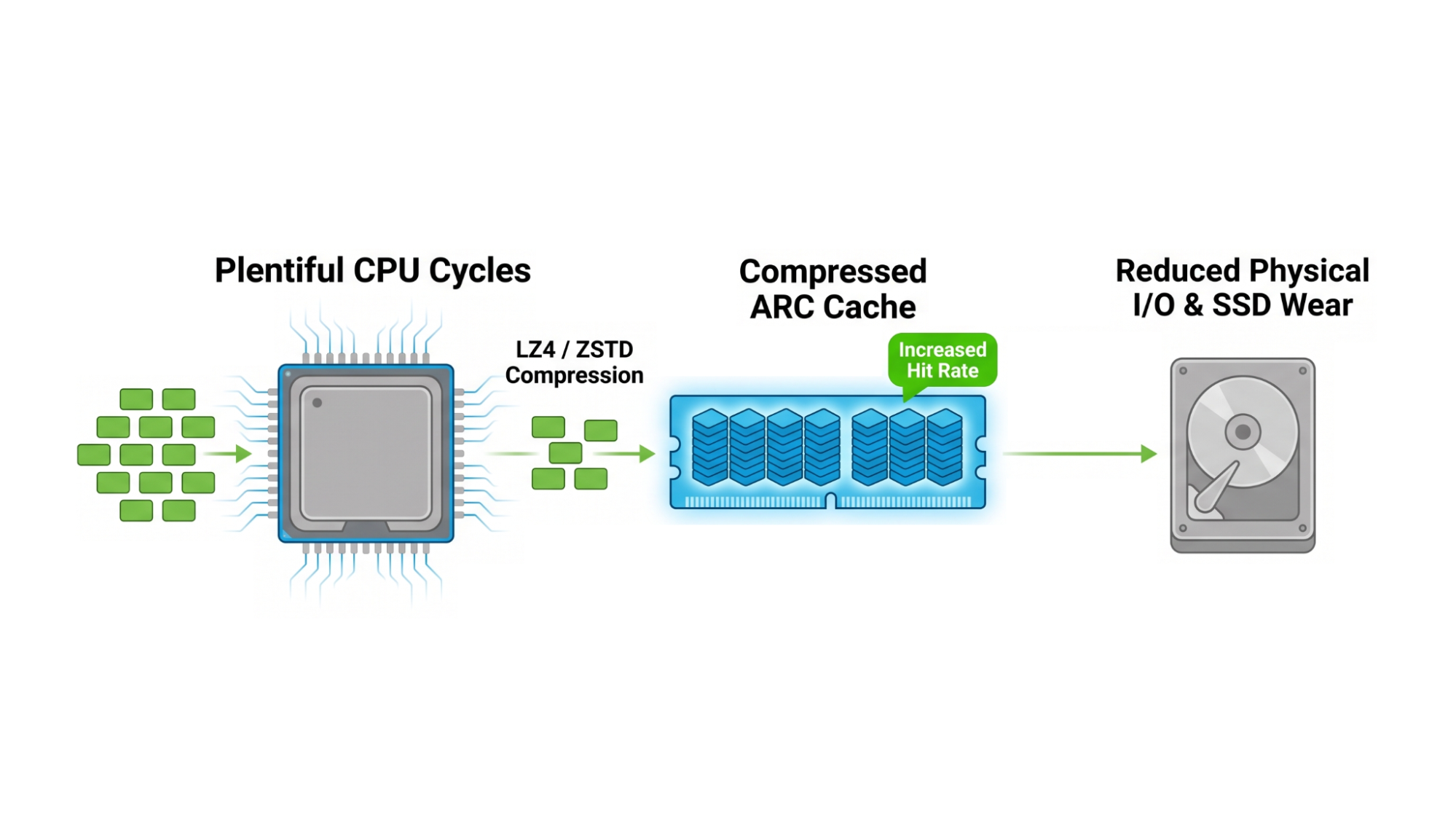
That’s worth pausing on. RAM is the most expensive capacity in the stack per gigabyte; and unlike SSD or HDD tiers, even if your budget allows for growth, the motherboard’s physical or electrical limitations might say no. Compression packs more data into the RAM you’ve already paid for, instead of asking you to buy more of the priciest tier in the box. It’s the same constraint that makes L2ARC worth deploying once RAM truly runs out – compression just gets you part of the way there without spending anything new.
Replication benefits the same way. TrueNAS sends snapshot data in its already-compressed, on-disk form, so replication moves less data over the wire without a decompress-then-recompress round trip. Same protection, less data in flight.
None of this works without CPU to spend, and that’s the one resource that’s grown the fastest in the systems admins are buying today.
LZ4 by Default, ZSTD When You Want It
TrueNAS supports adjustable compression at the dataset or zvol level, so different workloads on the same box can run different settings.
LZ4 is the default: low overhead, fast, and able to skip incompressible data almost instantly – a solid fit for mixed-use shares where you want to reclaim space without having to tune for specific types of data ingest.
ZSTD trades some of that speed for a tunable compression ratio, letting you dial in how hard you squeeze the data while keeping decompression fast on the way back out. At the default level, ZSTD-3, it improves on LZ4’s ratio with only a small throughput cost. Push the number higher and that cost climbs fast – throughput roughly halves for every two levels of added compression – so it’s worth testing your actual data types against both algorithms to find where that tradeoff makes sense for your workload.
On a platform where VM storage, databases, file shares, and backup targets all live on the same box, that per-dataset control matters. A single global on/off switch or compression algorithm decision forces the same trade-off onto every workload whether it fits or not.
Compression First, Encryption Second
TrueNAS supports transparent encryption alongside inline compression, in that order – data gets compressed first, then encrypted, so data-at-rest stays protected without losing the space savings compression already bought you. Hypervisor- or client-side encryption doesn’t get that option: by the time encrypted data reaches the storage system, it’s already incompressible, and you’re stuck allocating the full, uncompressed size no matter how repetitive the original data was.
Tuned So You Don’t Have To
Compression isn’t free – it costs CPU, and the return depends on how compressible your data actually is and how the platform handles it under load. It’s the same logic behind why hybrid storage is having a moment again – match the resource to the job instead of defaulting to one setting for everything. That’s where TrueNAS Enterprise appliances are built for it: CPU, memory, and storage sized together so the trade-off holds up under real production load, not just in a demo.
When you’re sizing your environment and shopping for storage, compression performance and data reduction are worth checking out first. It’s often a way to unlock capacity you already have.
Talk to a TrueNAS storage architect about where OpenZFS compression fits your workloads, and how to size the right appliance around it.
FAQ
Does ZFS compression slow down TrueNAS?
Rarely; in fact, the opposite typically happens. Compression trades available CPU cycles for less data moving through the storage stack, so on modern hardware it commonly improves real throughput and cache efficiency rather than costing performance.
Which should I use, LZ4 or ZSTD?
LZ4 is the default: low overhead, fast, and built to skip incompressible data almost instantly – a solid fit for mixed-use shares. ZSTD trades some speed for a higher, tunable compression ratio while keeping decompression fast, worth considering when capacity matters more than raw write speed.
When won’t compression help me?
While the default LZ4 will skip over incompressible data on its own, there’s one workload where you can guarantee it won’t ever succeed – and that’s where the client system is encrypting the data before sending it to TrueNAS. If you’re storing nothing but application-encrypted backup sets, or similar types of data, compression and data-reduction methods shouldn’t ever work, and can be safely disabled here.
Does compression affect data integrity or redundancy?
No. TrueNAS decompresses data on read, and every data-integrity and redundancy feature keeps operating on the compressed blocks underneath – compression doesn’t change how snapshots, checksums, or RAIDZ protection work.
Does compression replace the need for buying more storage?
Not entirely, but it often delays it. Compression makes existing capacity – and existing RAM, through the ARC – go further, so it’s worth checking during your planning stage rather than after your purchase.