SOLVED ZFS volume mount point issue

itractus

Dabbler
Joined
Mar 1, 2021
Messages
39
<div class="bbWrapper">So I have my TrueNAS system set up all new and fun. I imported the ZFS pool from the old server, with no issue. I can also list and browse the filesystems perfectly fine. My jails can also access the files and use them without any intervention or manual configuration. This leads me to believe the ZFS pool is set up correctly.<br /> <br /> HOWEVER<br /> <br /> When i try to create a share, I get an error. the error reads as follows:<br /> The path must reside within a volume mount point<br /> <br /> <div class="bbCodeBlock bbCodeCode"><div class="type">Code:</div><pre>The path must reside within a volume mount point</pre></div><br /> <br /> I get this error on the SMB share creation screen, the NFS share creation screen and even the user creation screen when I set the home dir to that zfs pool.<br /> <br /> How can I go about troubleshooting this? I tried the documentation but there wasn't a clear section that described my issue.</div>
 
Joined
Jan 7, 2015
Messages
1,153
<div class="bbWrapper">How did you do the import of the pool? Importing from the GUI used to be a fix for this.</div>
 

itractus

Dabbler
Joined
Mar 1, 2021
Messages
39
<div class="bbWrapper">I don't like bumping threads, but I'm actually stumped on this issue. Any suggestions are welcome</div>
 

Patrick M. Hausen

Hall of Famer
Joined
Nov 25, 2013
Messages
7,776
<div class="bbWrapper">Please post a screenshot of the &quot;add share&quot; form when you try to create one.</div>
 

itractus

Dabbler
Joined
Mar 1, 2021
Messages
39
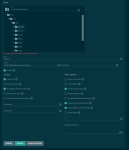
<div class="bbWrapper">Here you have the settings I use to add the SMB share.</div>
 

Attachments

  • 2021-03-07 08_04_20-TrueNAS - 192.168.2.10 — Mozilla Firefox.png
    2021-03-07 08_04_20-TrueNAS - 192.168.2.10 — Mozilla Firefox.png
    802.9 KB · Views: 3,502
Joined
Jan 4, 2014
Messages
1,644
<div class="bbWrapper">That doesn't look right. I'm assuming your pool name is NAS. The structure should look like <code class="bbCodeInline">/mnt/NAS/... </code>, not<code class="bbCodeInline">/mnt/mnt/NAS/...</code>.</div>
 

itractus

Dabbler
Joined
Mar 1, 2021
Messages
39
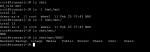
<div class="bbWrapper"><blockquote data-attributes="member: 35946" data-quote="Basil Hendroff" data-source="post: 634843" class="bbCodeBlock bbCodeBlock--expandable bbCodeBlock--quote js-expandWatch"> <div class="bbCodeBlock-title"> <a href="/community/goto/post?id=634843" class="bbCodeBlock-sourceJump" rel="nofollow" data-xf-click="attribution" data-content-selector="#post-634843">Basil Hendroff said:</a> </div> <div class="bbCodeBlock-content"> <div class="bbCodeBlock-expandContent js-expandContent "> That doesn't look right. I'm assuming your pool name is NAS. The structure should look like <code class="bbCodeInline">/mnt/NAS/... </code>, <code class="bbCodeInline">not /mnt/mnt/NAS/...</code>. </div> <div class="bbCodeBlock-expandLink js-expandLink"><a role="button" tabindex="0">Click to expand...</a></div> </div> </blockquote>I checked that, during the import it actually did put my zfs pool in that location. Here is a check using the shell.</div>
 

Attachments

  • 2021-03-07 08_14_56-TrueNAS - 192.168.2.10 — Mozilla Firefox.png
    2021-03-07 08_14_56-TrueNAS - 192.168.2.10 — Mozilla Firefox.png
    34.4 KB · Views: 3,628
Joined
Jan 4, 2014
Messages
1,644
<div class="bbWrapper"><blockquote data-attributes="member: 107525" data-quote="itractus" data-source="post: 634844" class="bbCodeBlock bbCodeBlock--expandable bbCodeBlock--quote js-expandWatch"> <div class="bbCodeBlock-title"> <a href="/community/goto/post?id=634844" class="bbCodeBlock-sourceJump" rel="nofollow" data-xf-click="attribution" data-content-selector="#post-634844">itractus said:</a> </div> <div class="bbCodeBlock-content"> <div class="bbCodeBlock-expandContent js-expandContent "> I checked that, during the import it actually did put my zfs pool in that location. Here is a check using the shell. </div> <div class="bbCodeBlock-expandLink js-expandLink"><a role="button" tabindex="0">Click to expand...</a></div> </div> </blockquote>All I'm saying is that this is not an expected result, and is most likely the reason for the error.</div>
 

Patrick M. Hausen

Hall of Famer
Joined
Nov 25, 2013
Messages
7,776
<div class="bbWrapper"><code class="bbCodeInline">zfs get mountpoint NAS</code> please</div>
 

itractus

Dabbler
Joined
Mar 1, 2021
Messages
39
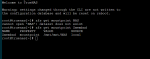
<div class="bbWrapper">The name of my pool is Zwembad, so the mountpoint is as follows:<br /> <br /> Thanks for the assistance</div>
 

Attachments

  • 2021-03-07 09_07_04-TrueNAS - 192.168.2.10 — Mozilla Firefox.png
    2021-03-07 09_07_04-TrueNAS - 192.168.2.10 — Mozilla Firefox.png
    32.9 KB · Views: 2,492

Patrick M. Hausen

Hall of Famer
Joined
Nov 25, 2013
Messages
7,776
<div class="bbWrapper">So you changed the mountpoint at some time. This is the cause of your problems. If the pool is named Zwembad, the mountpoint must be <code class="bbCodeInline">/mnt/Zwembad</code>. TrueNAS does this automatically when you create the pool or when you import an existing pool.<br /> If you want the pool to show up as <code class="bbCodeInline">/mnt/NAS</code>, you need to name it NAS, not change the mountpoint only.<br /> <br /> Assuming you want your pool to show up as <code class="bbCodeInline">/mnt/NAS</code> I would try:<br /> <div class="bbCodeBlock bbCodeCode"><div class="type">Code:</div><pre># shutdown all sharing services, VMs or anything else using your pool zfs set mountpoint=none Zwembad zfs export Zwembad zfs import Zwembad NAS zfs export NAS</pre></div><br /> Then import the pool from the UI for a final time.<br /> <br /> I am not quite sure if &quot;none&quot; is the correct setting and the rest is TrueNAS magic, but I guess so.</div>
 

itractus

Dabbler
Joined
Mar 1, 2021
Messages
39
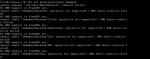
<div class="bbWrapper">So, there are now no services, VM's or jails running on the system. Running the first command prompts a bunch of errors regarding SMB shares.</div>
 

Attachments

  • 2021-03-07 09_36_06-TrueNAS - 192.168.2.10 — Mozilla Firefox.png
    2021-03-07 09_36_06-TrueNAS - 192.168.2.10 — Mozilla Firefox.png
    69.8 KB · Views: 3,658

Patrick M. Hausen

Hall of Famer
Joined
Nov 25, 2013
Messages
7,776
<div class="bbWrapper">Export from the UI - without deleting data of course! - then try the import with name change if desired. Export from the CLI again, then re-import from the UI. Then check the mountpoint again.</div>
 

itractus

Dabbler
Joined
Mar 1, 2021
Messages
39
<div class="bbWrapper">This is what I did and now it works. Mountpoint is /mnt/NAS/* and I can create the SMB shares without issues. Thanks for the help.</div>
 

appliance

Explorer
Joined
Nov 6, 2019
Messages
96
<div class="bbWrapper">i do have this issue - some stubborn pools go to /mnt/mnt/, and zfs set mountpoint doesn't work. The /mnt/mnt folder cannot be removed even after reboot. so i script &quot;zfs export; zfs import; zfs mount&quot; on every boot.<br /> Here's a <a href="https://docs.oracle.com/cd/E19253-01/819-5461/ghnoq/index.html" target="_blank" class="link link--external" rel="nofollow ugc noopener">potentional fix</a>, it fixes the mountpoint. Let's see if it stays after boot.<br /> <div class="bbCodeBlock bbCodeCode"><div class="type">Code:</div><pre>zfs inheri -r mountpoint tank</pre></div></div>
 
Top