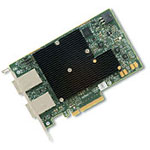
LSI SAS 3008 P14 Firmware

Cougar014

Explorer
Joined
Oct 30, 2016
Messages
57
<div class="bbWrapper">Hello Everyone,<br /> <br /> I have a Supermicro X11SSL-cf Motherboard with an onboard LSI 3008 HBA flashed in IT mode.<br /> Currently i have it running with the P12 Firmware.<br /> <br /> But when I run this command: <i>'dmesg | grep mpr'</i><br /> I get this:<br /> <i>....<br /> mpr0: Firmware: 12.00.02.00, Driver: 15.01.00.00-fbsd<br /> ....</i><br /> <br /> Now I know they always say that the firmware version has to match the driver version.<br /> But at the time of building my server there was the an issue with the P13 Driver. <br /> According to this issue:<br /> <a href="https://forums.freenas.org/index.php?threads/lsi-3008-it-firmware-mismatch.49587/" target="_blank" class="link link--external" rel="nofollow ugc noopener">https://forums.freenas.org/index.php?threads/lsi-3008-it-firmware-mismatch.49587/</a><br /> <a href="https://bugs.freenas.org/issues/20007" target="_blank" class="link link--external" rel="nofollow ugc noopener">https://bugs.freenas.org/issues/20007</a><br /> <br /> So is sticked with the P12 Firmware because it didnt give me any headache.<br /> <br /> But for quite some time now I am experiencing an issue where overnight I recieve an email with this error:<br /> <i>&gt; (da0:mpr0:0:4:0): WRITE(10). CDB: 2a 00 02 65 9a c8 00 00 08 00 <br /> &gt; (da0:mpr0:0:4:0): CAM status: SCSI Status Error<br /> &gt; (da0:mpr0:0:4:0): SCSI status: Check Condition<br /> &gt; (da0:mpr0:0:4:0): SCSI sense: UNIT ATTENTION asc:29,0 (Power on, reset, or bus device reset occurred)<br /> &gt; (da0:mpr0:0:4:0): Retrying command (per sense data)</i><br /> <br /> So i was wondering maybe it will help if i upgrade the firmware to the newest version.<br /> Right now when i check that latest version according to this link:<br /> ftp://ftp.supermicro.com/Driver/SAS/LSI/3008/Firmware/<br /> I only see the P14 driver, so I assume that this is the latest driver.<br /> <br /> Can someone tell me if this is the right Firmware to use and if it doenst matter that this doesnt match the V15 driver?<br /> <br /> Thanks in advance!</div>
 

Ericloewe

Server Wrangler
Moderator
Joined
Feb 15, 2014
Messages
20,194
<div class="bbWrapper">FreeNAS is giving you a warning, most certainly. Follow its instructions.</div>
 

Cougar014

Explorer
Joined
Oct 30, 2016
Messages
57
<div class="bbWrapper">What do you mean? Will it give me a warning when i install the P14 Firmware?<br /> The only warning Freenas is giving me right now is the CAM status error.<br /> Besides that i have a green light in the GUI etc.</div>
 

TXAG26

Patron
Joined
Sep 20, 2013
Messages
310
<div class="bbWrapper">Use the P14 firmware. It is the latest version and matches the v15 driver. Do a search, LSI has always had the firmware one version behind the driver with the 300x chipset.</div>
 

Cougar014

Explorer
Joined
Oct 30, 2016
Messages
57
<div class="bbWrapper"><blockquote data-attributes="member: 33007" data-quote="TXAG26" data-source="post: 385464" class="bbCodeBlock bbCodeBlock--expandable bbCodeBlock--quote js-expandWatch"> <div class="bbCodeBlock-title"> <a href="/community/goto/post?id=385464" class="bbCodeBlock-sourceJump" rel="nofollow" data-xf-click="attribution" data-content-selector="#post-385464">TXAG26 said:</a> </div> <div class="bbCodeBlock-content"> <div class="bbCodeBlock-expandContent js-expandContent "> Use the P14 firmware. It is the latest version and matches the v15 driver. Do a search, LSI has always had the firmware one version behind the driver with the 300x chipset. </div> <div class="bbCodeBlock-expandLink js-expandLink"><a role="button" tabindex="0">Click to expand...</a></div> </div> </blockquote><br /> Ok thanks! I will install the P14 firmware and hope that this will solve the issue. Otherwise I will replace the SAS-&gt;Sata cableing and see if that will fix it.</div>
 

TXAG26

Patron
Joined
Sep 20, 2013
Messages
310
<div class="bbWrapper"><blockquote data-attributes="member: 65324" data-quote="Cougar014" data-source="post: 385670" class="bbCodeBlock bbCodeBlock--expandable bbCodeBlock--quote js-expandWatch"> <div class="bbCodeBlock-title"> <a href="/community/goto/post?id=385670" class="bbCodeBlock-sourceJump" rel="nofollow" data-xf-click="attribution" data-content-selector="#post-385670">Cougar014 said:</a> </div> <div class="bbCodeBlock-content"> <div class="bbCodeBlock-expandContent js-expandContent "> Ok thanks! I will install the P14 firmware and hope that this will solve the issue. Otherwise I will replace the SAS-&gt;Sata cableing and see if that will fix it. </div> <div class="bbCodeBlock-expandLink js-expandLink"><a role="button" tabindex="0">Click to expand...</a></div> </div> </blockquote><br /> That's a good course of action to take. I've had weird error messages too that went away when cables were replaced, although I haven't personally seen that error before.</div>
 

Cougar014

Explorer
Joined
Oct 30, 2016
Messages
57
<div class="bbWrapper"><blockquote data-attributes="member: 33007" data-quote="TXAG26" data-source="post: 385694" class="bbCodeBlock bbCodeBlock--expandable bbCodeBlock--quote js-expandWatch"> <div class="bbCodeBlock-title"> <a href="/community/goto/post?id=385694" class="bbCodeBlock-sourceJump" rel="nofollow" data-xf-click="attribution" data-content-selector="#post-385694">TXAG26 said:</a> </div> <div class="bbCodeBlock-content"> <div class="bbCodeBlock-expandContent js-expandContent "> That's a good course of action to take. I've had weird error messages too that went away when cables were replaced, although I haven't personally seen that error before. </div> <div class="bbCodeBlock-expandLink js-expandLink"><a role="button" tabindex="0">Click to expand...</a></div> </div> </blockquote>Yea I don't get it either. It just happens randomly.<br /> Other guess it could be is a broken power cable..?<br /> The strange thing is, it spams these errors for both drives and not not always on both at the same time....<br /> But I don't have a strong feeling for that, I guess that would have damaged my drives already if that's the case<br /> Already have this nonsense for 6 months. Sometimes every day other times only once in a few weeks.....<br /> <br /> PS: Already flashed the firmware, so hoping for a fix</div>
 

Cougar014

Explorer
Joined
Oct 30, 2016
Messages
57
<div class="bbWrapper">Okay,<br /> <br /> I thought i fixed it, But apparently I didn't.<br /> <br /> I replaced the SAS-&gt;Sata cable from a Broadcom one to a brand new inter-tech one.<br /> The error diss appeared since I replaced it two weeks ago.<br /> <br /> But this morning the same error was back.<br /> Only from an almost everyday error it reduced to a once in a two week error (for now) (small note, with the older cable it started with a once a week error en slowly over time in grew to a almost everyday error.<br /> <br /> Here is the error again:<br /> <i>freenas.local kernel log messages:<br /> (da0:mpr0:0:4:0): WRITE(10). CDB: 2a 00 11 45 0f <a href="https://forums.freenas.org/tel:98%2000%2001%2000%2000" target="_blank" class="link link--external" rel="nofollow ugc noopener">98 00 01 00 00</a> length 131072 SMID 612 terminated ioc 804b scsi 0 state c xfer 0<br /> (da0:mpr0:0:4:0): WRITE(10). CDB: 2a 00 11 45 0f <a href="https://forums.freenas.org/tel:98%2000%2001%2000%2000" target="_blank" class="link link--external" rel="nofollow ugc noopener">98 00 01 00 00</a> <br /> (da0:mpr0:0:4:0): CAM status: CCB request completed with an error<br /> (da0:mpr0:0:4:0): Retrying command<br /> (da0:mpr0:0:4:0): WRITE(10). CDB: 2a 00 11 45 0f <a href="https://forums.freenas.org/tel:98%2000%2001%2000%2000" target="_blank" class="link link--external" rel="nofollow ugc noopener">98 00 01 00 00</a> <br /> (da0:mpr0:0:4:0): CAM status: SCSI Status Error<br /> (da0:mpr0:0:4:0): SCSI status: Check Condition<br /> (da0:mpr0:0:4:0): SCSI sense: UNIT ATTENTION asc:29,0 (Power on, reset, or bus device reset occurred)<br /> (da0:mpr0:0:4:0): Retrying command (per sense data)<br /> <br /> -- End of security output -</i>-<br /> <br /> Someone got a clue about what the f is going on??<br /> <br /> Thanks in advance!</div>
 
Last edited:

adrianwi

Guru
Joined
Oct 15, 2013
Messages
1,231
<div class="bbWrapper">Sorry for resurecting such an old thread, but I've just ordered this board and was looking to find the latest drivers to flash it to IT mode. Does anyone have a link and the latest version?<br /> <br /> Thanks</div>
 

TXAG26

Patron
Joined
Sep 20, 2013
Messages
310
<div class="bbWrapper"><div class="bbCodeBlock bbCodeBlock--unfurl js-unfurl fauxBlockLink" data-unfurl="true" data-result-id="417" data-url="https://www.supermicro.com/wftp/driver/SAS/LSI/3008/" data-host="www.supermicro.com" data-pending="false"> <div class="contentRow"> <div class="contentRow-main"> <h3 class="contentRow-header js-unfurl-title"> <a href="https://www.supermicro.com/wftp/driver/SAS/LSI/3008/" class="link link--external fauxBlockLink-blockLink" target="_blank" rel="nofollow ugc noopener" data-proxy-href=""> Supermicro Data Center Server, Blade, Data Storage, AI System </a> </h3> <div class="contentRow-snippet js-unfurl-desc">The premier provider of advanced Server Building Block Solutions® for 5G/Edge, Data Center, Cloud, Enterprise, Big Data, HPC and Embedded markets worldwide.</div> <div class="contentRow-minor contentRow-minor--hideLinks"> <span class="js-unfurl-favicon"> <img src="https://www.supermicro.com/wftp/driver/SAS/LSI/3008/" alt="www.supermicro.com" class="bbCodeBlockUnfurl-icon" data-onerror="hide-parent"/> </span> www.supermicro.com </div> </div> </div> </div></div>
 

Ericloewe

Server Wrangler
Moderator
Joined
Feb 15, 2014
Messages
20,194
<div class="bbWrapper">Is that really the latest? LSI was pumping out driver updates like crazy a while back and Supermicro doesn't always keep them up to date.</div>
 

TXAG26

Patron
Joined
Sep 20, 2013
Messages
310
<div class="bbWrapper">It’s the one I use for FreeNAS and it hasn’t complained yet about a driver version mismatch. But yeah, the LSI website may have a more up to date driver.</div>
 

Ericloewe

Server Wrangler
Moderator
Joined
Feb 15, 2014
Messages
20,194
<div class="bbWrapper"><blockquote data-attributes="member: 33007" data-quote="TXAG26" data-source="post: 557202" class="bbCodeBlock bbCodeBlock--expandable bbCodeBlock--quote js-expandWatch"> <div class="bbCodeBlock-title"> <a href="/community/goto/post?id=557202" class="bbCodeBlock-sourceJump" rel="nofollow" data-xf-click="attribution" data-content-selector="#post-557202">TXAG26 said:</a> </div> <div class="bbCodeBlock-content"> <div class="bbCodeBlock-expandContent js-expandContent "> It’s the one I use for FreeNAS and it hasn’t complained yet about a driver version mismatch. But yeah, the LSI website may have a more up to date driver. </div> <div class="bbCodeBlock-expandLink js-expandLink"><a role="button" tabindex="0">Click to expand...</a></div> </div> </blockquote>Well, that warning was ripped out a few years ago after iX (rightfully) gave up on understanding LSI's new, byzantine versioning, where updates are made without incrementing the version number, version numbers are skipped for no reason, the driver version is one ahead (or was it behind?) of the firmware and nobody has a dammed clue how to interpret any of this. <br /> The new policy is &quot;stay with the latest&quot;.</div>
 

TXAG26

Patron
Joined
Sep 20, 2013
Messages
310
<div class="bbWrapper"><blockquote data-attributes="member: 37321" data-quote="Ericloewe" data-source="post: 557234" class="bbCodeBlock bbCodeBlock--expandable bbCodeBlock--quote js-expandWatch"> <div class="bbCodeBlock-title"> <a href="/community/goto/post?id=557234" class="bbCodeBlock-sourceJump" rel="nofollow" data-xf-click="attribution" data-content-selector="#post-557234">Ericloewe said:</a> </div> <div class="bbCodeBlock-content"> <div class="bbCodeBlock-expandContent js-expandContent "> Well, that warning was ripped out a few years ago after iX (rightfully) gave up on understanding LSI's new, byzantine versioning, where updates are made without incrementing the version number, version numbers are skipped for no reason, the driver version is one ahead (or was it behind?) of the firmware and nobody has a dammed clue how to interpret any of this.<br /> The new policy is &quot;stay with the latest&quot;. </div> <div class="bbCodeBlock-expandLink js-expandLink"><a role="button" tabindex="0">Click to expand...</a></div> </div> </blockquote><br /> Good to know, thank you for the additional information. I'm still on 11.1 U7 and wasn't aware of the newest stance on LSI firmware.<br /> <br /> It looks like the firmware is still on PH16, but there have been a number of sub-revisions, with the latest posted within the month:<br /> <div class="bbCodeBlock bbCodeBlock--unfurl js-unfurl fauxBlockLink" data-unfurl="true" data-result-id="432" data-url="https://www.broadcom.com/products/storage/host-bus-adapters/sas-9300-8i" data-host="www.broadcom.com" data-pending="false"> <div class="contentRow"> <div class="contentRow-figure contentRow-figure--fixedSmall js-unfurl-figure"> <img src="https://www.broadcom.com/media/blt4ac44e0e6c6d8341/blt028ab3edb83d6a01/6035480f5a89ad3793e06f2e/Storage_Hbas" alt="www.broadcom.com" data-onerror="hide-parent"/> </div> <div class="contentRow-main"> <h3 class="contentRow-header js-unfurl-title"> <a href="https://www.broadcom.com/products/storage/host-bus-adapters/sas-9300-8i" class="link link--external fauxBlockLink-blockLink" target="_blank" rel="nofollow ugc noopener" data-proxy-href=""> Host Bus Adapters </a> </h3> <div class="contentRow-snippet js-unfurl-desc">Broadcom Host Bus Adapter (HBA) cards can enable an easy, long-term storage growth strategy in practically any direct-attached storage scenario.</div> <div class="contentRow-minor contentRow-minor--hideLinks"> <span class="js-unfurl-favicon"> <img src="https://www.broadcom.com/products/storage/host-bus-adapters/sas-9300-8i/" alt="www.broadcom.com" class="bbCodeBlockUnfurl-icon" data-onerror="hide-parent"/> </span> www.broadcom.com </div> </div> </div> </div> <br /> On a related note, I see their is now a VMWare installer for the firmware. Has anyone had a chance to use it?</div>
 
Top