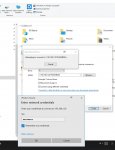
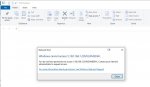
<div class="bbWrapper">Anyone have this issue. I reinstall TrueNAS twice. This time I only create 1 dataset, 1 user with OPEN ACL. Turn on SMB share service and create share folder. When I try to map network drive from Windows I got network access error from windows 10. I tried all different password, username and guest account still unable to access from windows. I tried 2nd windows PC has the same issue. What do I need to do to fix this? My last server is FreeNAS and it works fine. Could it be my UniFi USG network blocking traffic? Any help appreciated..</div>
<div class="bbWrapper">So you get the windows User/Pass to pop up when you do try and connect? What happens when you use the root creds at the prompt? Also make sure that root does not own the dataset/folder you are "sharing".</div>
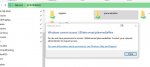
<div class="bbWrapper">Yes, I see several video on youtube. On TrueNAS, you cannot use root so I created new users and new dataset with same owner and OPEN acl for all users. Turn on SMB share. I can see all the folders when I open the network on my windows explorer after prompt for new credentials, I put same new user and password. But when I click on the shared folders, I got window message Windows cannot access .. You do not have permission. I even try to mapped network folder still same error. All my pc on the network behave the same thing. So it must be in TrueNAS SMB permission.</div>
<div class="bbWrapper">I dont know a lot about ACL permissions. I use all Unix based machines. Certainly a permission issue. Can you show me screenshot of how your user is setup in FreeNAS? Show me the permissions screen for the datasets/shares?<br />
<br />
Ive always advised Windows people to make their TN user the EXACT SAME as their main Windows user(s). This is name, user, password, email. Then you simply own all the shares/dataset/media to this user.</div>
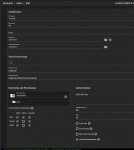
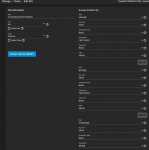
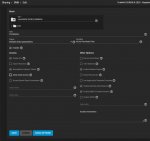
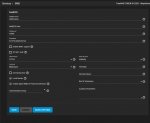
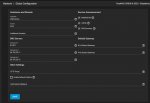
<div class="bbWrapper">Thanks for helping. It is driving me crazy for weeks. I setup a few users and groups and I also set dataset with all OPEN acl. Here is all the screen shots. Username is "tea" and Group is "teagroup". Dataset is "PLEXMEDIA" with OPEN preset acl. Shared SMB is "PLEXMEDIA". SMB service turn ON. When I clicked on the Network on window explorer, I can open and see all the SMB shares folder just fine but not able to click and open any of them. I get Network error. Window cannot access .. It happened same error on all my PC on the network accessing this folder. I have service announcement all turn on see screen. Not sure if it need to.<br />
Let me know if you need other screenshots.</div>
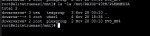
<div class="bbWrapper">What does the following show you when you enter this in <i>Shell</i>:<br />
<br />
<div class="bbCodeBlock bbCodeCode"><div class="type">Code:</div><pre>ls -la /mnt/RAIDZ-40TB/PLEXMEDIA</pre></div><br />
<br />
EDIT: Also try disabling SMB 1.0 support in Windows 10 if you hadn't already. I had to do it myself when I had authentication / connection issues from my Windows 10 PC.<br />
<br />
<b>Control Panel > Programs and Features > Turn Windows features on or off > uncheck SMB 1.0 support (entirely)</b><br />
<br />
If possible, try rebooting your Windows 10 system after making those changes.</div>
<div class="bbWrapper"><blockquote data-attributes="member: 98387" data-quote="winnielinnie" data-source="post: 617140"
class="bbCodeBlock bbCodeBlock--expandable bbCodeBlock--quote js-expandWatch">
<div class="bbCodeBlock-title">
<a href="/community/goto/post?id=617140"
class="bbCodeBlock-sourceJump"
rel="nofollow"
data-xf-click="attribution"
data-content-selector="#post-617140">winnielinnie said:</a>
</div>
<div class="bbCodeBlock-content">
<div class="bbCodeBlock-expandContent js-expandContent ">
What does the following show you when you enter this in <i>Shell</i>:<br />
<br />
<div class="bbCodeBlock bbCodeCode"><div class="type">Code:</div><pre>ls -la /mnt/RAIDZ-40TB/PLEXMEDIA</pre></div><br />
<br />
EDIT: Also try disabling SMB 1.0 support in Windows 10 if you hadn't already. I had to do it myself when I had authentication / connection issues from my Windows 10 PC.<br />
<br />
<b>Control Panel > Programs and Features > Turn Windows features on or off > uncheck SMB 1.0 support (entirely)</b><br />
<br />
The SMB 1.0 not checked but SMB Direct is checked.<br />
<br />
If possible, try rebooting your Windows 10 system after making those changes.
</div>
<div class="bbCodeBlock-expandLink js-expandLink"><a role="button" tabindex="0">Click to expand...</a></div>
</div>
</blockquote></div>
<div class="bbWrapper"><blockquote data-attributes="member: 98387" data-quote="winnielinnie" data-source="post: 617144"
class="bbCodeBlock bbCodeBlock--expandable bbCodeBlock--quote js-expandWatch">
<div class="bbCodeBlock-title">
<a href="/community/goto/post?id=617144"
class="bbCodeBlock-sourceJump"
rel="nofollow"
data-xf-click="attribution"
data-content-selector="#post-617144">winnielinnie said:</a>
</div>
<div class="bbCodeBlock-content">
<div class="bbCodeBlock-expandContent js-expandContent ">
Are you using encrypted datasets by any chance?
</div>
<div class="bbCodeBlock-expandLink js-expandLink"><a role="button" tabindex="0">Click to expand...</a></div>
</div>
</blockquote>My dataset is not encrypted. But I imported my pool and dataset from FreeNAS when I update to TrueNAS because I do not want to lost my data.</div>
<div class="bbWrapper">Permissions and ACL look fine, unless I'm missing something?<br />
<br />
Trying to access the SMB share as "tea" should gain you access to PLEXMEDIA.<br />
<br />
What about the share's ACL itself?<br />
<br />
<b>Sharing > SMB > PLEXMEDIA > Edit Share ACL</b><br />
*not Edit Filesystem ACL<br />
<br />
Did you double-check if SMB 1.0 is enabled in your Windows 10 system? It shouldn't be if it wasn't an upgrade from an earlier version, but it doesn't hurt to double-check.<br />
<br />
While you're at it, clear the cached credentials from Windows 10:<br />
<br />
In a Command Prompt or Power Shell:<br />
<div class="bbCodeBlock bbCodeCode"><div class="type">Code:</div><pre>net use * /d /y</pre></div><br />
<br />
This will clear all the cached credentials from any previously accessed shares and connections.<br />
<br />
You likely have to kill and restart explorer.exe (or just reboot if it's not a problem.)<br />
<br />
Windows 10 can be a pain to access SMB shares with different user accounts at the same IP address of the server.</div>
<div class="bbWrapper">I did that already many times to relogin and try again. I use command "net use /del *". Then when I open backup the Network drive it will prompt me the credential and I put in "tea" as username. Still not working. The dataset is own by "tea" by the main pool dataset is own by "root". Does it matter check my screen print for <a href="https://www.truenas.com/community/goto/post?id=617148" class="link link--internal">anodos </a>respond. Does both need to own by "tea" to get access underneath folder?</div>
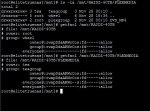
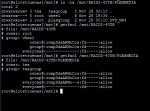
<div class="bbWrapper">The problem is permissions on /mnt/RAIDZ-40TB. You've stripped users ability to traverse the pool mountpoint (there are a few prominent youtube videos demonstrating this unfortunately - despite the fact that their how-to will actually break permissions on people's storage). This is one of the primary reasons why we don't expose the ability to modify permissions for root of the zpool. <code style="background-color: #dee3e7; padding: .2px; margin: .1em; display: inline-block;"> <kbd>setfacl -m everyone@rxaRc::allow /mnt/RAIDZ-40TB</kbd></code></div>
<div class="bbWrapper"><blockquote data-attributes="member: 38019" data-quote="anodos" data-source="post: 617200"
class="bbCodeBlock bbCodeBlock--expandable bbCodeBlock--quote js-expandWatch">
<div class="bbCodeBlock-title">
<a href="/community/goto/post?id=617200"
class="bbCodeBlock-sourceJump"
rel="nofollow"
data-xf-click="attribution"
data-content-selector="#post-617200">anodos said:</a>
</div>
<div class="bbCodeBlock-content">
<div class="bbCodeBlock-expandContent js-expandContent ">
The problem is permissions on /mnt/RAIDZ-40TB. You've stripped users ability to traverse the pool mountpoint (there are a few prominent youtube videos demonstrating this unfortunately - despite the fact that their how-to will actually break permissions on people's storage). This is one of the primary reasons why we don't expose the ability to modify permissions for root of the zpool.[/cmd]
</div>
<div class="bbCodeBlock-expandLink js-expandLink"><a role="button" tabindex="0">Click to expand...</a></div>
</div>
</blockquote><br />
Good catch! I never knew it was possible to change the root dataset's permissions, unless it was with an earlier version of FreeNAS?</div>
<div class="bbWrapper"><blockquote data-attributes="member: 98387" data-quote="winnielinnie" data-source="post: 617215"
class="bbCodeBlock bbCodeBlock--expandable bbCodeBlock--quote js-expandWatch">
<div class="bbCodeBlock-title">
<a href="/community/goto/post?id=617215"
class="bbCodeBlock-sourceJump"
rel="nofollow"
data-xf-click="attribution"
data-content-selector="#post-617215">winnielinnie said:</a>
</div>
<div class="bbCodeBlock-content">
<div class="bbCodeBlock-expandContent js-expandContent ">
Good catch! I never knew it was possible to change the root dataset's permissions, unless it was with an earlier version of FreeNAS?
</div>
<div class="bbCodeBlock-expandLink js-expandLink"><a role="button" tabindex="0">Click to expand...</a></div>
</div>
</blockquote>It's possible if you use the shell to do it. I don't know the particulars of this case, but there are some youtube videos around that demonstrate opening shell and running command "chmod 770 /mnt/tank", which of course breaks access for everyone who isn't a member of wheel (default group for root-level dataset).</div>
<div class="bbWrapper"><blockquote data-attributes="member: 38019" data-quote="anodos" data-source="post: 617200"
class="bbCodeBlock bbCodeBlock--expandable bbCodeBlock--quote js-expandWatch">
<div class="bbCodeBlock-title">
<a href="/community/goto/post?id=617200"
class="bbCodeBlock-sourceJump"
rel="nofollow"
data-xf-click="attribution"
data-content-selector="#post-617200">anodos said:</a>
</div>
<div class="bbCodeBlock-content">
<div class="bbCodeBlock-expandContent js-expandContent ">
The problem is permissions on /mnt/RAIDZ-40TB. You've stripped users ability to traverse the pool mountpoint (there are a few prominent youtube videos demonstrating this unfortunately - despite the fact that their how-to will actually break permissions on people's storage). This is one of the primary reasons why we don't expose the ability to modify permissions for root of the zpool. <code style="background-color: #dee3e7; padding: .2px; margin: .1em; display: inline-block;"> <kbd>setfacl -m everyone@rxaRc::allow /mnt/RAIDZ-40TB</kbd></code>
</div>
<div class="bbCodeBlock-expandLink js-expandLink"><a role="button" tabindex="0">Click to expand...</a></div>
</div>
</blockquote>When I execute this command, will it make the all the RAIDZ-40TB dataset and child everyone permission?<br />
I executed it and get this tag error message:<br />
<div class="bbImageWrapper js-lbImage" title="1606928696666.png"
data-src="https://www.truenas.com/community/attachments/1606928696666-png.43112/" data-lb-sidebar-href="" data-lb-caption-extra-html="" data-single-image="1">
<img src="https://www.truenas.com/community/attachments/1606928696666-png.43112/"
data-url=""
class="bbImage"
data-zoom-target="1"
style=""
alt="1606928696666.png"
title="1606928696666.png"
width="615" height="189" loading="lazy" />
</div>
<br />
Can I do this in ACL dataset GUI of TrueNAS?</div>
<div class="bbWrapper"><blockquote data-attributes="member: 88848" data-quote="mrteaiot" data-source="post: 617167"
class="bbCodeBlock bbCodeBlock--expandable bbCodeBlock--quote js-expandWatch">
<div class="bbCodeBlock-title">
<a href="/community/goto/post?id=617167"
class="bbCodeBlock-sourceJump"
rel="nofollow"
data-xf-click="attribution"
data-content-selector="#post-617167">mrteaiot said:</a>
</div>
<div class="bbCodeBlock-content">
<div class="bbCodeBlock-expandContent js-expandContent ">
Look like RAIDZ-40TB belong to "root" but the dataset underneath belong to owner "tea".
</div>
<div class="bbCodeBlock-expandLink js-expandLink"><a role="button" tabindex="0">Click to expand...</a></div>
</div>
</blockquote>When I do the getacl on the root dataset mnt/RAIDZ-40TB, it show root owner and wheel group but when I view it on the GUI its gray out not able to changed. a bug need to be fix? The message stated root dataset cannot be changed. That's is why I am able to SMB shared because root not owner.<br />
<br />
<div class="bbImageWrapper js-lbImage" title="1606930793284.png"
data-src="https://www.truenas.com/community/attachments/1606930793284-png.43115/" data-lb-sidebar-href="" data-lb-caption-extra-html="" data-single-image="1">
<img src="https://www.truenas.com/community/attachments/1606930793284-png.43115/"
data-url=""
class="bbImage"
data-zoom-target="1"
style=""
alt="1606930793284.png"
title="1606930793284.png"
width="233" height="314" loading="lazy" />
</div></div>
<div class="bbWrapper">You should not touch the root dataset of a pool at all. That's why the UI does not allow it. If you insist to shoot yourself in the foot on the commandline, though ...</div>