





Static Routes Screens

The Static Routes widget on the Network screen shows static IP addresses configured as static routes. Allows manual entry of IP address routes to network destinations outside the TrueNAS network so the router can send packets to a destination network.
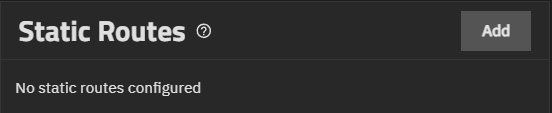
TrueNAS does not have defined static routes by default.

Add opens the Add Static Route screen where you can enter a static route to reach portions of the network.

Read full post gdoc_arrow_right_alt

IPMI

IPMI provides out-of-band management of TrueNAS hardware independent of the operating system.

Contents

  • Setting Up IPMI: Guides you through setting up Intelligent Platform Management Interface (IPMI) on TrueNAS.

    • IPMI Screens: Provides information on the Network screen IPMI widget and configuration screen.

      Configuring Virtualization and Apps

      Configuring TrueNAS to work with virtualized features, such as virtual machines (VMs) and applications, is part of the setup process that, when optimized, takes advantage of the network storage capabilities that TrueNAS offers.

      Before You Begin

      This article assumes you have the latest release version of TrueNAS installed on your system. The following steps are a list of configuration prerequisites you have completed and are familiar with before beginning VM and application installations.

      Read full post gdoc_arrow_right_alt