





TrueNAS Development Documentation
This content follows experimental development changes in TrueNAS 28, a future version of TrueNAS.
Use the Product and Version selectors above to view content specific to a stable software release.
Settings Options
3 minute read.
The Settings icon button displays a menu of general system settings options. The options are Change Password, Preferences, My API Keys, Guide and About.
Click on the Change Password icon button to display the change password dialog where you can enter a new password for the currently logged-in user.
The truenas_admin user and admin users with full control permissions see the Change Password dialog with the New Password and Confirm Password fields. These users do not need to enter their current password to change the password.
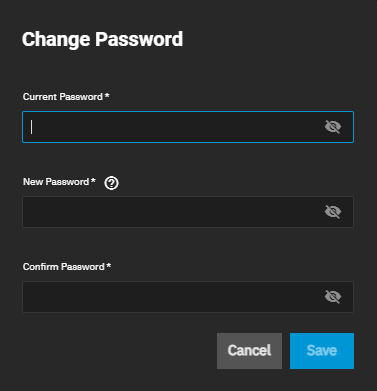
Sharing Admin and Readonly Admin users see the Change Password dialog with the Current Password, New Password, and Confirm Password fields. These users must enter the current password to validate the user account before changing the password.
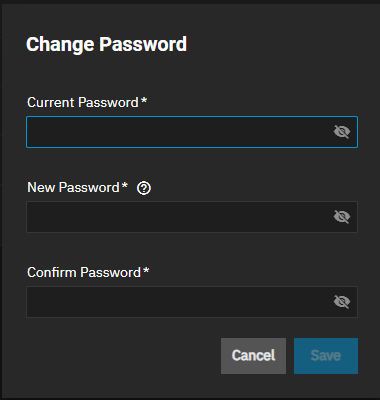
Click on the icon to display entered passwords. To stop displaying the password, click on the icon.
The Preferences screen settings configure the color theme, session duration before timing out and logging out the currently logged-in user, and localization settings for the logged-in user account.
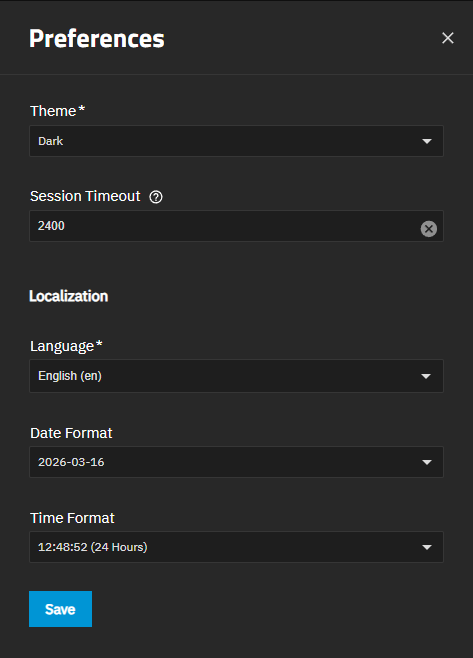
The Theme settings customize the UI theme colors for the currently logged-in user. Options are: ixDark (default option), ixBlue, Dracula, Nord, Paper, Solarized Dark, Midnight, and High Contrast. Selecting an option immediately changes the UI to the selected color theme.
Session Timeout sets the number of seconds a session remains active or inactive before it is automatically ended by logging out the user.
Localization sets the screen language, date format, and time format for the currently logged-in user account. To see the keyboard map and timezone, use the System > General Settings > Localization configuration screen.
Select the desired language for the UI from the Language dropdown list. The default setting is English but might be customized to the language based on the country of origin for an Enterprise customer. You can filter the list by typing in the field after clearing the default value, or use the scroll option to find and select a language.
Select the desired format in the Date Format and Time Format that matches your geographic location.
Click Save to set all changes for the currently logged-in user.
TrueNAS automatically terminates the currently logged-in user session when the default session timeout expires and shows the TrueNAS login splash screen.
To extend the allotted session time, go to the Preferences screen and change the Session Timeout to a value that suits the use case for the logged-in user.
The default lifetime setting is 300 seconds or five minutes.
The maximum is 2147482 seconds, or 596 hours (24 days and 20 hours), 31 minutes, and 22 seconds.
Click Save.
Click on My API Keys to display the User API Keys screen where you can add or manage API keys on your system. Click API Docs on the User API Keys screen to view API documentation.
Click on Guide to display the TrueNAS Documentation Hub in a new tab.
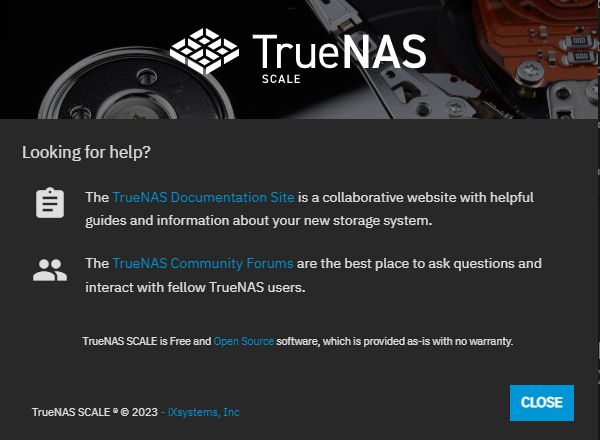
Click on About to display the information window links to the TrueNAS Documentation Hub, TrueNAS Community Forums, FreeNAS Open Source Storage Appliance GitHub repository, and iXsystems home page.