




TrueNAS Early Release Documentation
This content follows TrueNAS 27 releases.
Use the Product and Version selectors above to view content specific to a stable software release.
Shares Screens
1 minute read.
Click Shares on the main navigation panel to open the Shares screen. The screen shows a card for each type of share: SMB shares, NFS shares, iSCSI and Fibre Channel share targets, NVMe-oF subsystems, Amazon S3 buckets, and WebShare shares.
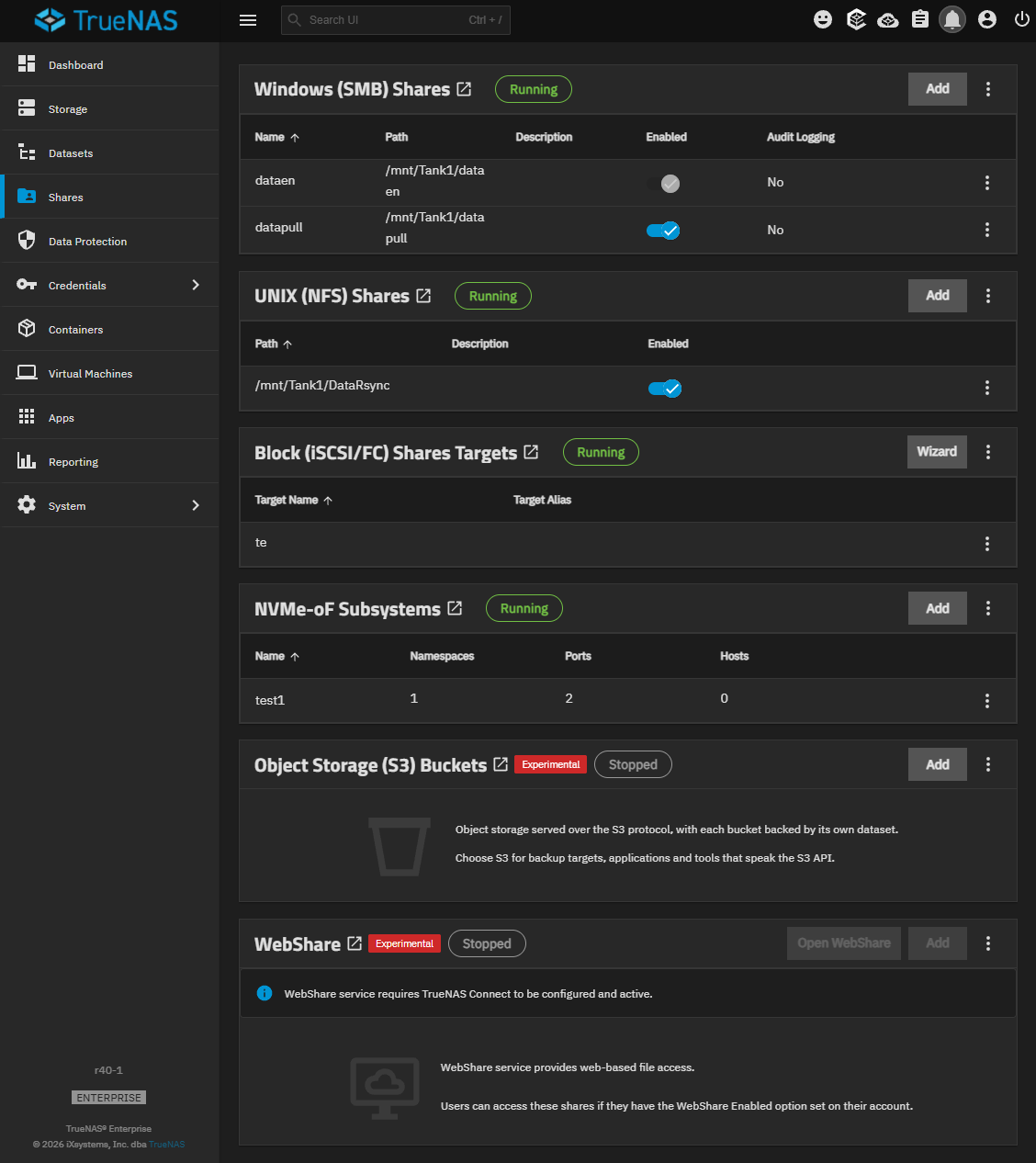
Each card header shows the status of the share service as Running or Stopped. Click the card header to open the full screen for that share type. The Object Storage (S3) Buckets and WebShare cards also show an Experimental label.
| Card | Description |
|---|---|
| Windows (SMB) Shares | Lists SMB shares on the system. See SMB Shares Screens. |
| UNIX (NFS) Shares | Lists NFS shares on the system. See NFS Shares Screens. |
| Block (iSCSI/FC) Share Targets | Lists iSCSI and Fibre Channel share targets on the system. See Block (iSCSI) Share Target Screens. |
| NVMe-oF Subsystems | Lists NVMe over Fabrics (NVMe-oF) subsystems on the system. See NVMe-oF Share Screens. |
| Object Storage (S3) Buckets | Lists S3 object storage buckets on the system. See S3 Buckets Screens. |
| WebShare | Lists WebShare shares on the system. See WebShare Shares Screens. |
Amazon S3 is a trademark of Amazon.com, Inc. or its affiliates.