



TrueNAS 26 Documentation
TrueNAS 26 is renamed TrueNAS 27.
This content documents the TrueNAS 26 BETA releases.
For TrueNAS 27-RC.1 and later, see the TrueNAS 27 documentation.
Data Protection Screens
1 minute read.
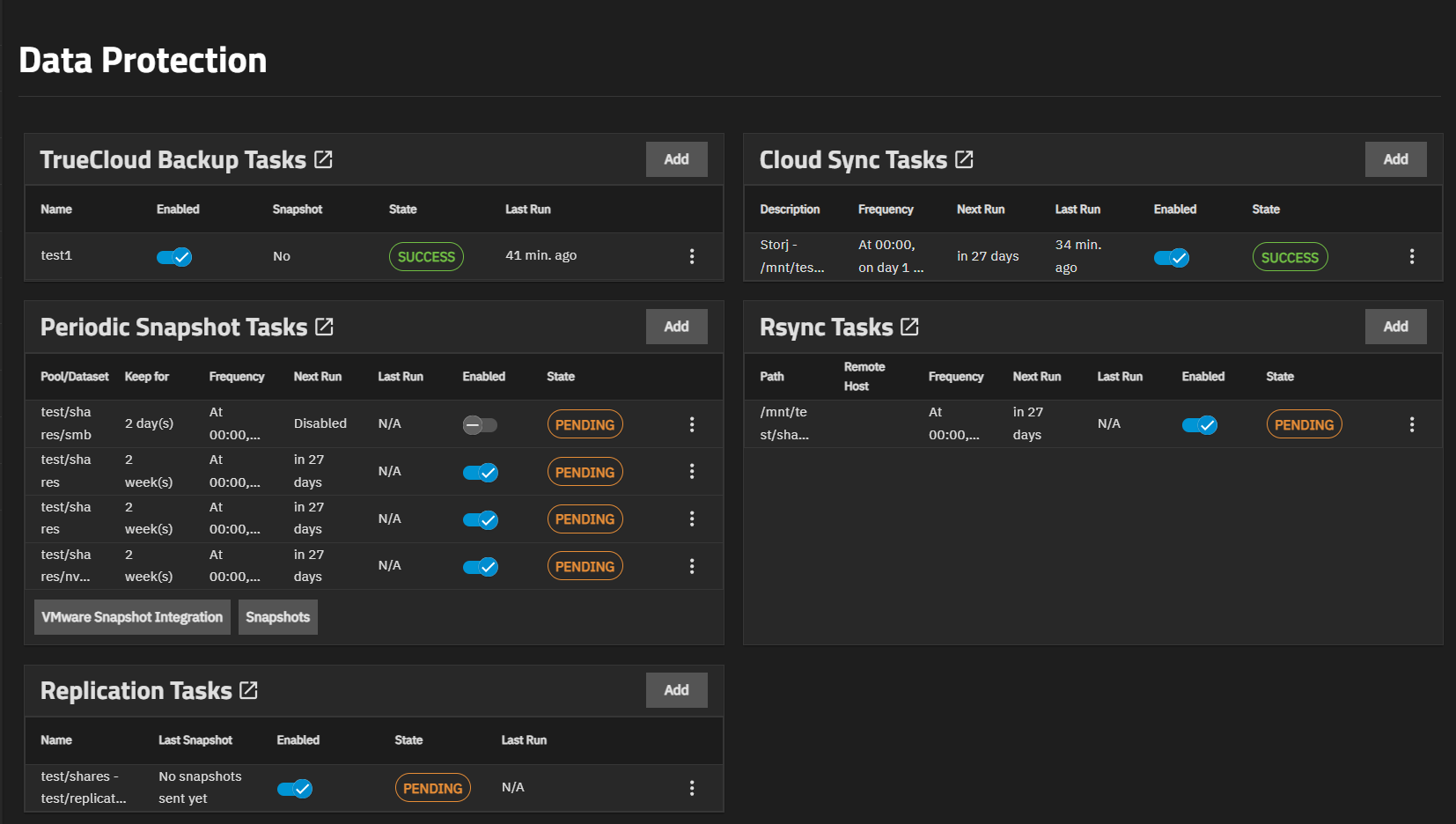
The Data Protection screen widgets allow users to set up multiple redundant tasks that protect and/or back up data in case of drive failure. The screen shows No Data Protection Tasks, a message, and Create Pool until you add the first pool to your system. After adding a pool, the screen shows a description of each task in the widgets until you configure a task. Configured tasks are listed in the corresponding task widgets with details about, and the status of, each task.