




TrueNAS 26 Documentation
TrueNAS 26 is renamed TrueNAS 27.
This content documents the TrueNAS 26 BETA releases.
For TrueNAS 27-RC.1 and later, see the TrueNAS 27 documentation.
Data Protection
3 minute read.
The Data Protection screen task widgets allow users to set up multiple redundant tasks to protect and back up data in case of drive failure. The screen shows No Data Protection Tasks, a message, and Create Pool until you add the first pool to your system. After adding a pool, the screen shows a description of each task in the widgets until you configure a task. Configured tasks are listed in the corresponding task widgets with details about, and the status of the task.
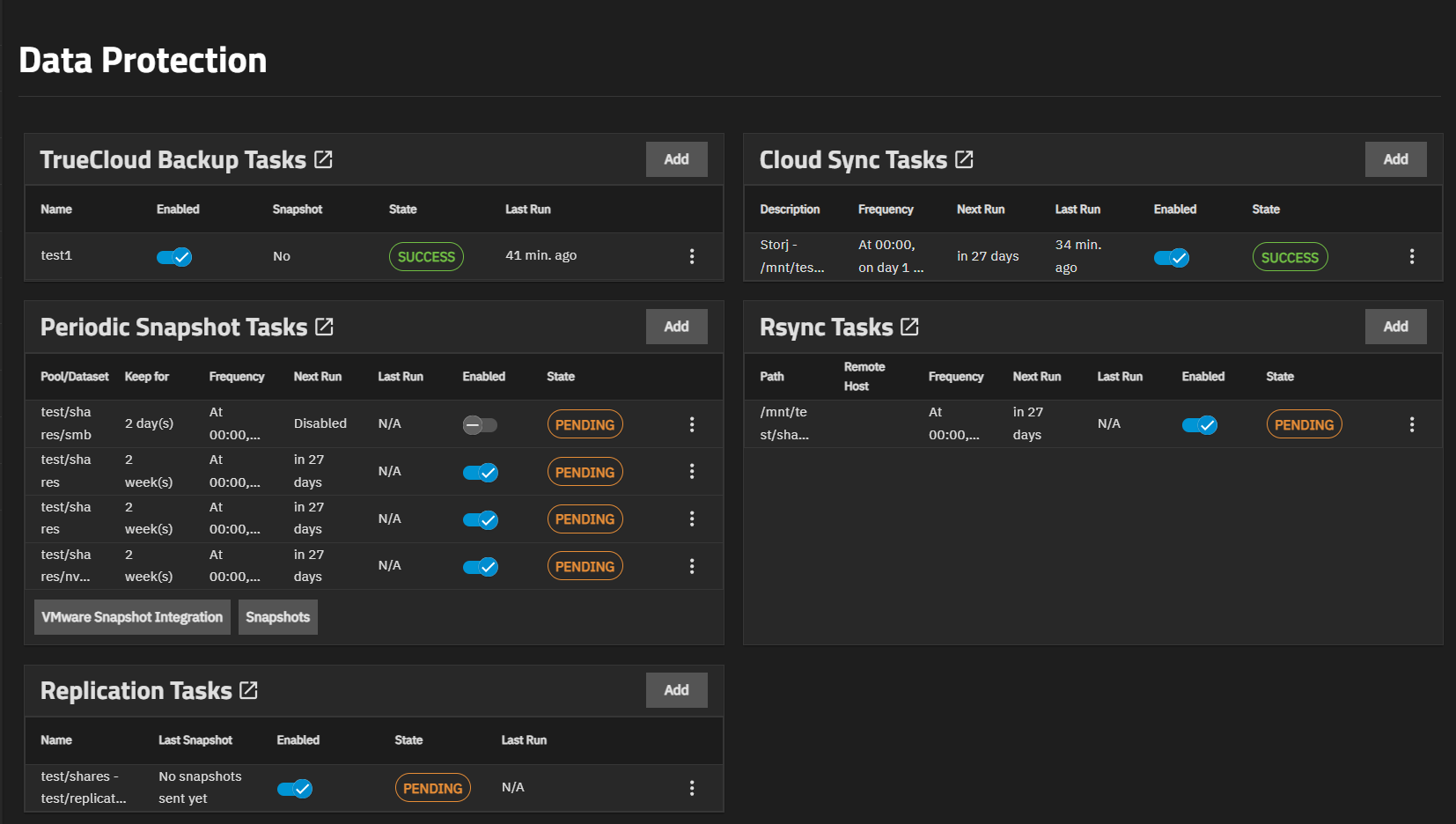
Refer to the articles listed below for information on how to set up and manage various data protection tasks.