




TrueNAS 26 Documentation
TrueNAS 26 is renamed TrueNAS 27.
This content documents the TrueNAS 26 BETA releases.
For TrueNAS 27-RC.1 and later, see the TrueNAS 27 documentation.
Certificates
1 minute read.
Use the Credentials > Certificates screen to manage certificates, certificate signing requests (CSRs), and DNS authenticators with the Certificates, Certificate Signing Requests (CSRs), and ACME DNS-Authenticators widgets.
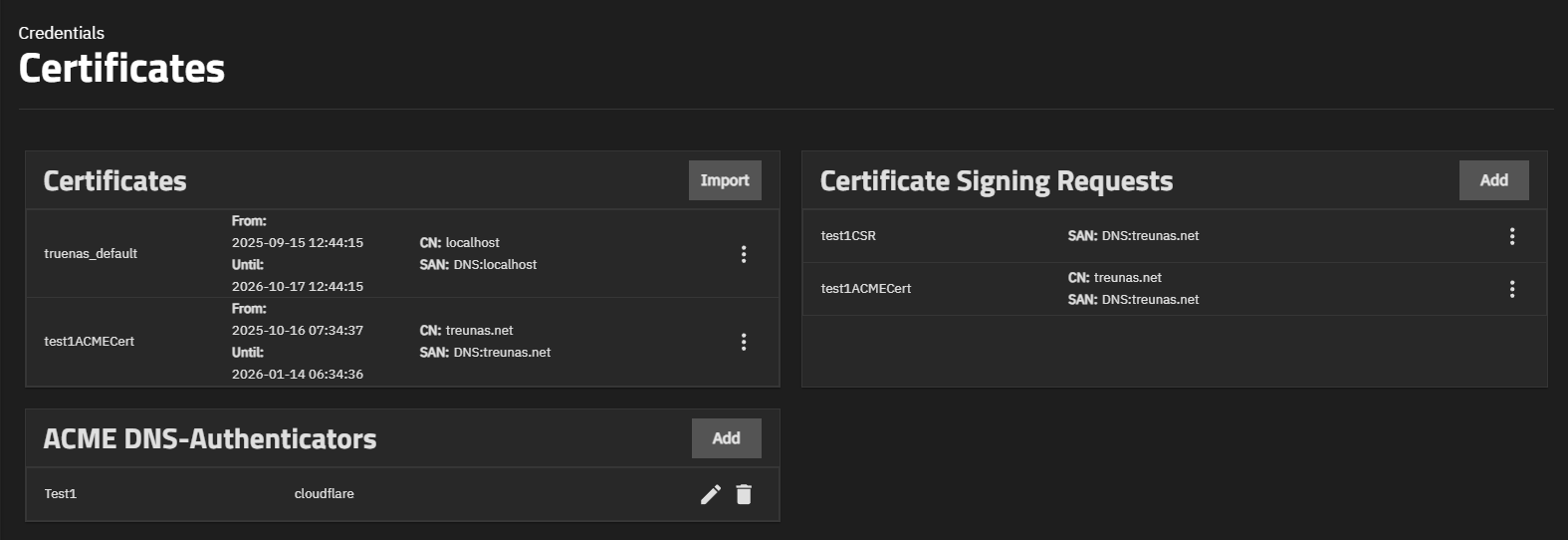
Each TrueNAS comes equipped with an internal, self-signed certificate that enables encrypted access to the web interface, but users can import custom certificates for authentication and validation while sharing data.